
Gaming
5 Gaming Setup Ideas That Look Clean, Modern and Expensive

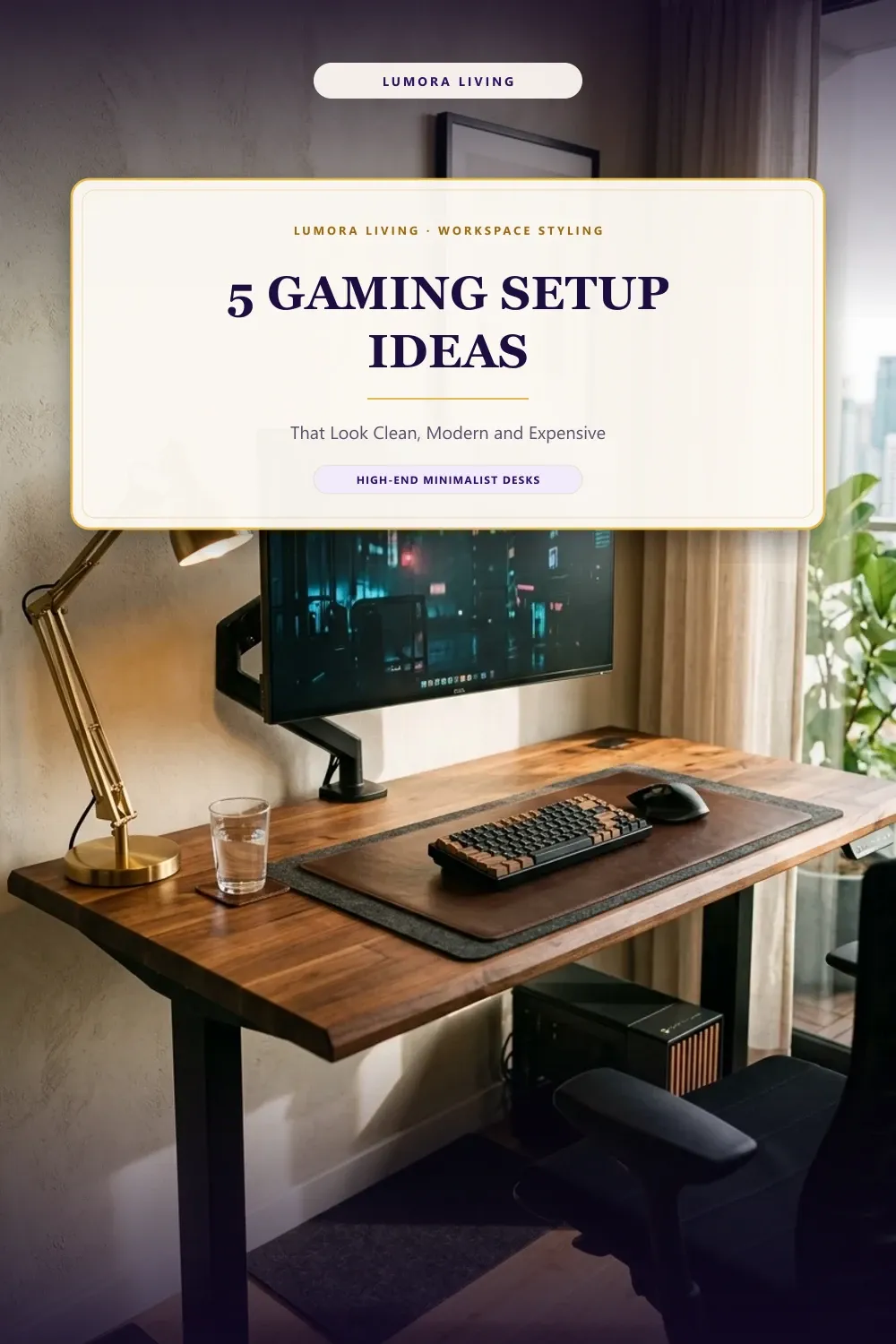
This design guide is for desk enthusiasts who want an upscale, clutter-free workspace that performs like a high-end battlestation. You will learn how simple materials, thoughtful cable routing, and tactile desk mats can make any battlestation look like an architectural showcase. The most effective gaming setup ideas focus on quiet luxury, replacing flashy plastic shells with rich timber, warm brass, and tailored desk surfaces.
Quick picks: The hidden undermount cable tray is best for budget, the matte monitor arm is best for small rooms, and the walnut butcher block desk is best for looks.
1. Solid Walnut Butcher Block Desk
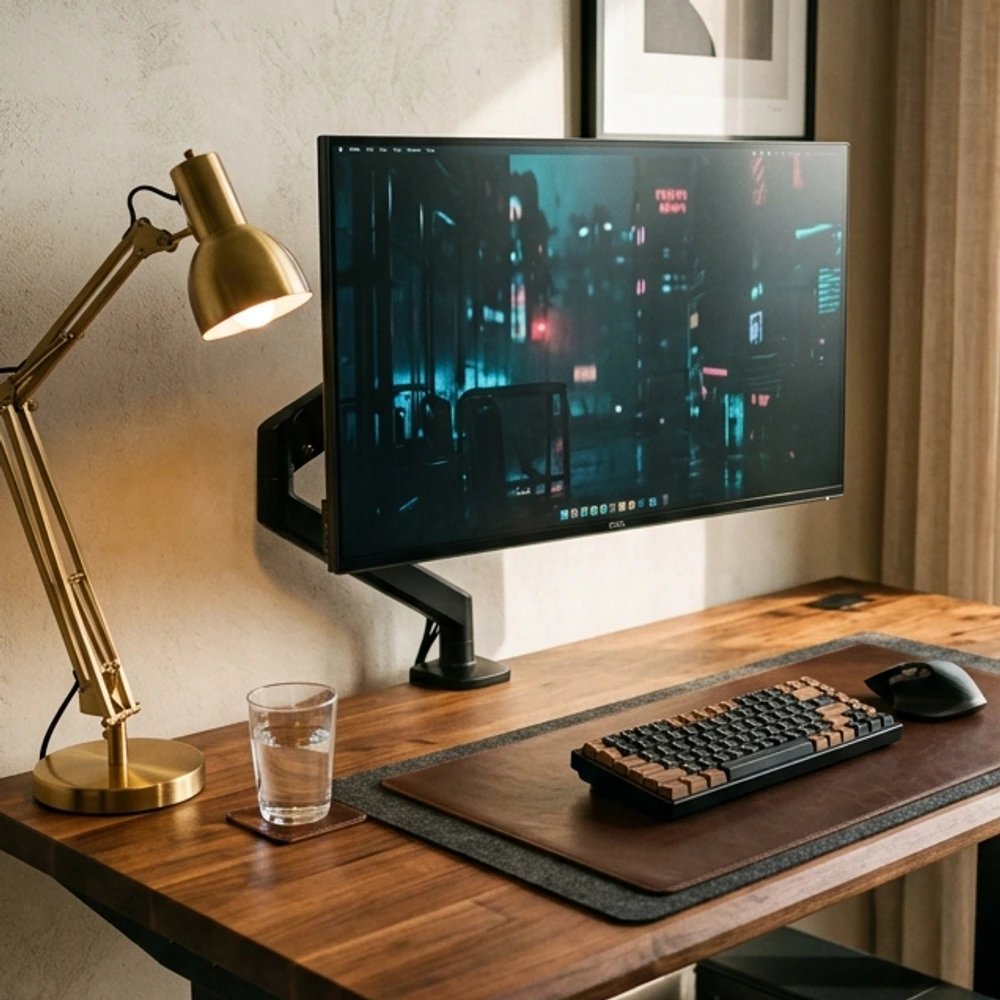
A solid hardwood surface anchors the entire room and instantly makes cheap laminate furniture obsolete. Source a 74 by 25 inch walnut or oak butcher block slab, sand the surface with 220-grit paper, and seal it with matte hardwax oil. Mount the slab onto heavy-duty steel t-legs or motorized standing desk columns. The deep wood grain and rich brown undertones bring warmth to dark displays and computer peripherals. It creates a tactile, luxurious foundation that patinas gracefully over years of everyday typing and gaming.
- Best for: Grounding the space with organic texture and lasting durability
- Room size: Medium
2. Hidden Undermount Cable Management
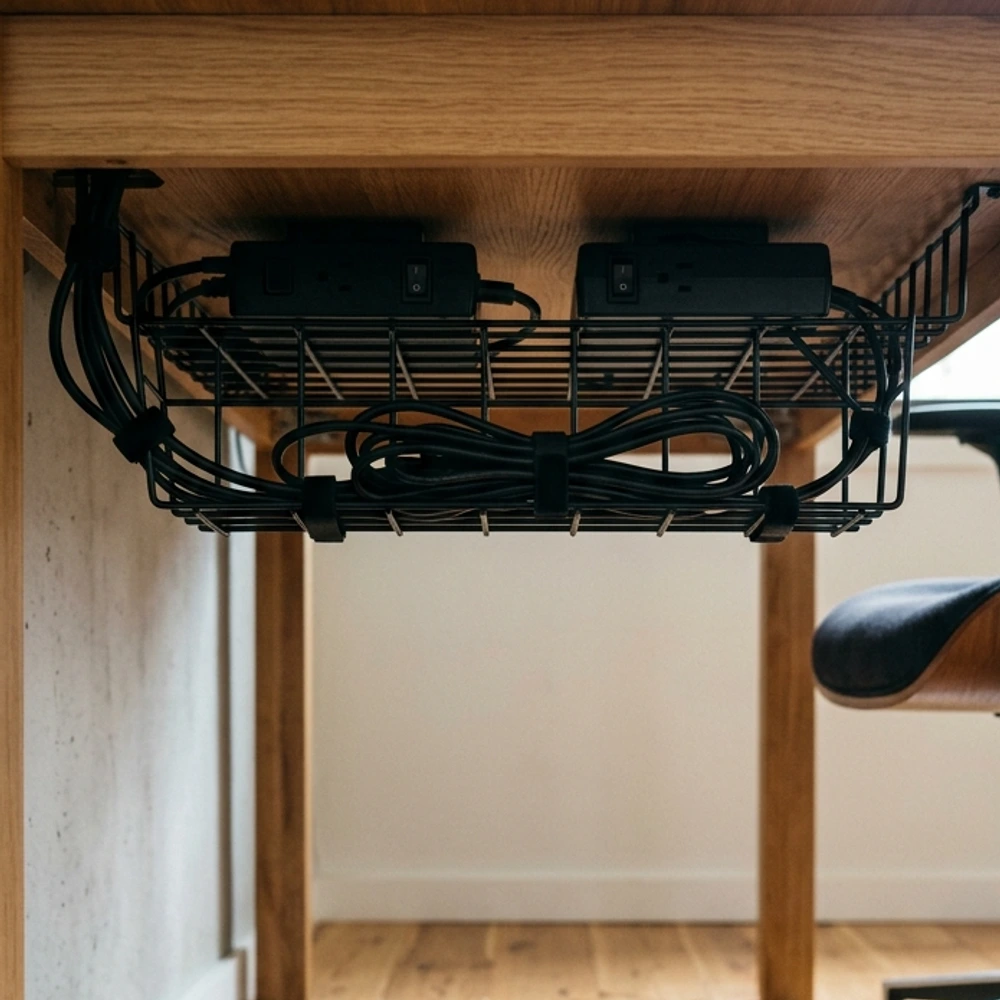
Nothing ruins the clean lines of a desk faster than dangling power bricks and tangled cords. Screw a 48-inch steel wire channel or fabric cable trough underneath the rear rim of your desk. Mount a 10-outlet heavy-duty surge protector inside the basket using zip ties. Route every monitor cable, charger, and audio wire into the channel using reusable hook-and-loop straps. Drop only one primary power cord down a desk leg inside a matching fabric sleeve. Your battlestation will look wireless from every angle.
- Best for: Eliminating floor clutter and achieving a clean, uninterrupted look
- Room size: Small
3. Matte Metal Monitor Arm with Single Screen
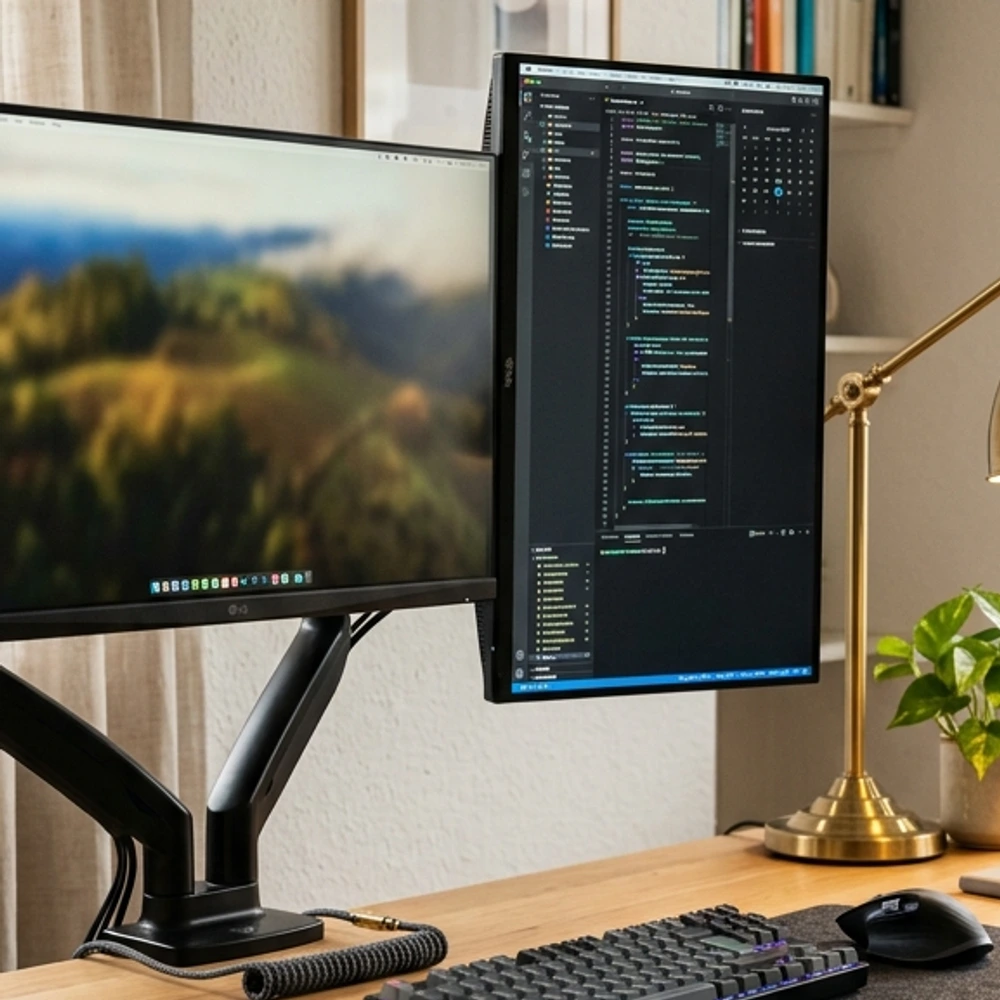
Bulky plastic monitor feet consume valuable desk depth and attract endless dust bunnies. Replace factory stands with a low-profile, powder-coated aluminum monitor arm clamped to your back edge. Raise a single 32-inch 4K screen so its center meets eye height when sitting tall. Floating the display frees up over 100 square inches of prime desk real estate right where your hands move. It delivers that precise, airy aesthetic found in architectural studios and design firms.
- Best for: Maximizing usable desk depth and promoting spinal alignment
- Room size: Small
4. Ambient Brass Desk Lamp and Lightbar
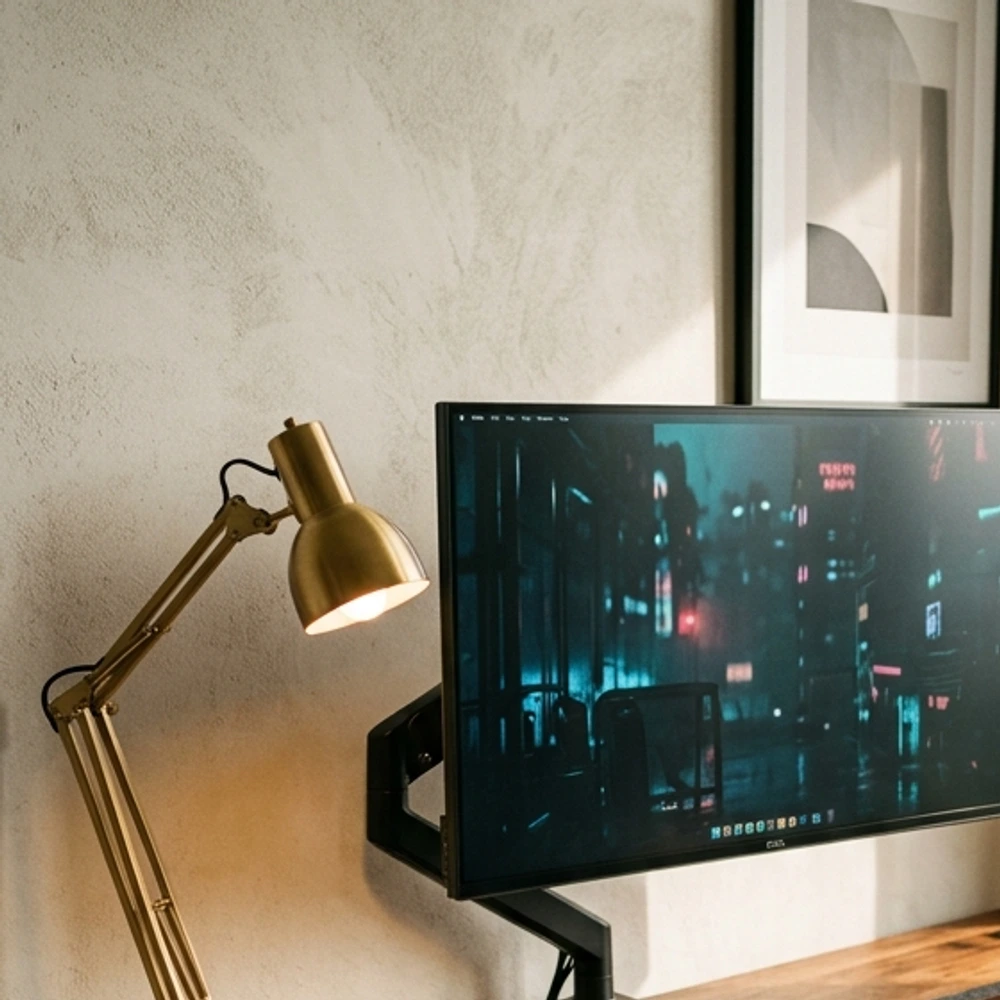
Layered lighting separates high-end workspaces from amateur bedrooms. Clamp an asymmetric monitor light bar to the top bezel of your display to illuminate the keyboard without casting harsh reflections onto the glass. Pair this functional fixture with a brushed brass task lamp placed on the desk corner. The brass metal reflects warm golden highlights across the wood grain, creating a cozy residential atmosphere that looks mature, welcoming, and relaxed during both daylight and midnight sessions.
- Best for: Warm residential styling without sacrificing task illumination
- Room size: Medium
5. Leather and Felt Desk Mat Pairing
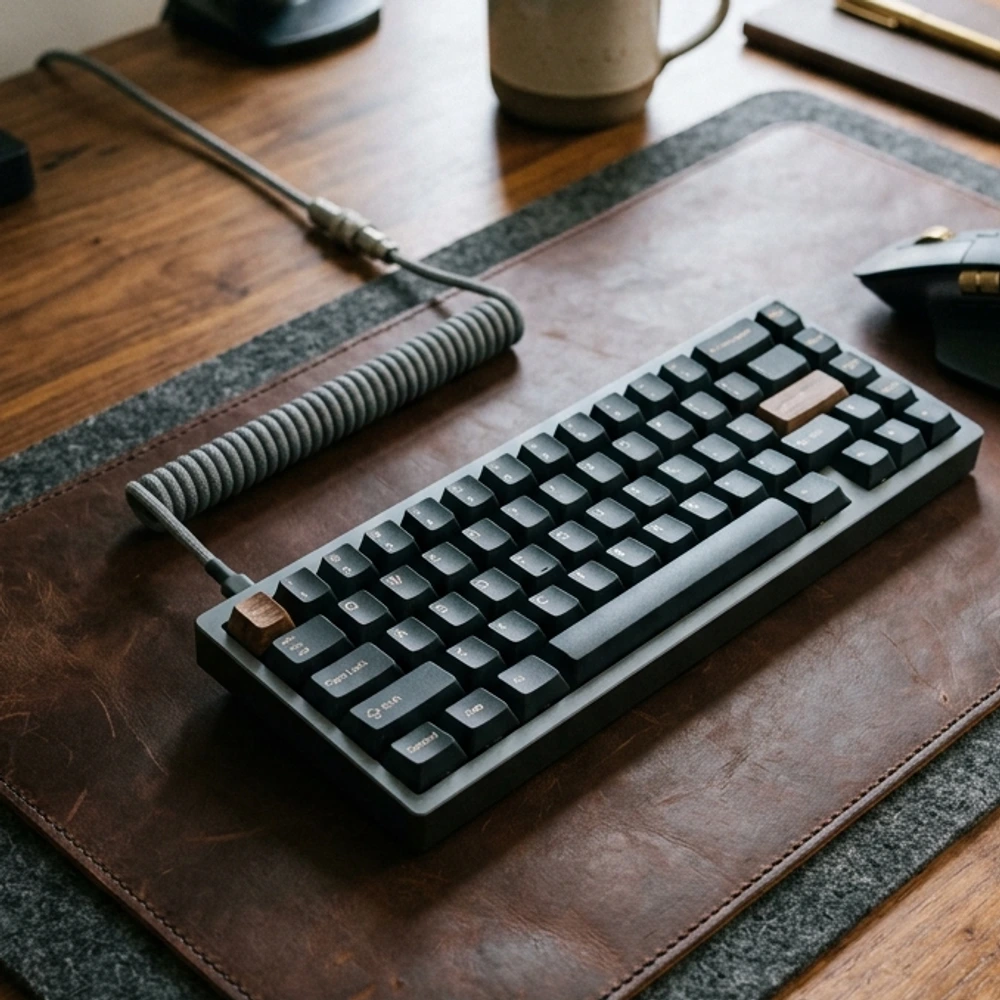
Large neon mousepads look juvenile and collect lint quickly. Upgrade your contact surface by layering a 31 by 12 inch dark saddle leather desk pad on top of a 36 by 16 inch natural wool felt runner. The wool felt dampens acoustic resonance from bottoming out mechanical keyboard switches. The leather provides a smooth, low-friction glide for your mouse while aging into a handsome patina. This tailored dual-material texture frames your keyboard like a bespoke piece of luxury stationery.
- Best for: Tactile comfort, switch sound dampening, and refined aesthetics
- Room size: Small
Quick Tips Before You Start
- Stick to a tight palette of three core materials such as walnut, matte black metal, and brown leather.
- Pick wireless peripherals with long battery life to remove excess desktop cords.
- Center your monitor arm clamp slightly off-center if you want to push your screen fully back against a rear wall.
Investing in thoughtful details will transform your daily computing routine into an inspiring ritual. If you appreciate deeper contrasts, check out our guide to black gaming setup ideas for a monochrome edge, or see our gaming bedroom ideas to blend your desk into a restful sleeping area. These practical gaming setup ideas prove that your battlestation can be both ultra-functional and magazine-worthy.
Frequently asked questions
How do I make my gaming setup look expensive on a tight budget?
Focus entirely on cable management and clean surfaces before buying expensive hardware. Spend thirty dollars on an undermount wire tray and velcro straps to conceal all cords. Swap bright rainbow lighting for a single warm white lamp, and replace oversized gaming mousepads with a neutral felt desk blotter.
What desk depth is best for a modern screen setup?
A desktop depth between 28 and 30 inches provides optimal focal distance for a 27 to 34 inch display. This depth gives your arms comfortable forearm support while leaving ample breathing room between your eyes, the keyboard, and the monitor screen.
Is real hardwood better than laminate for a desk?
Solid hardwood butcher block or thick plywood with hardwood veneer offers far superior longevity compared to hollow-core laminate. Hardwood can support heavy dual-monitor clamp mounts without sagging or crushing, and surface scuffs can easily be sanded and re-oiled down the road.